













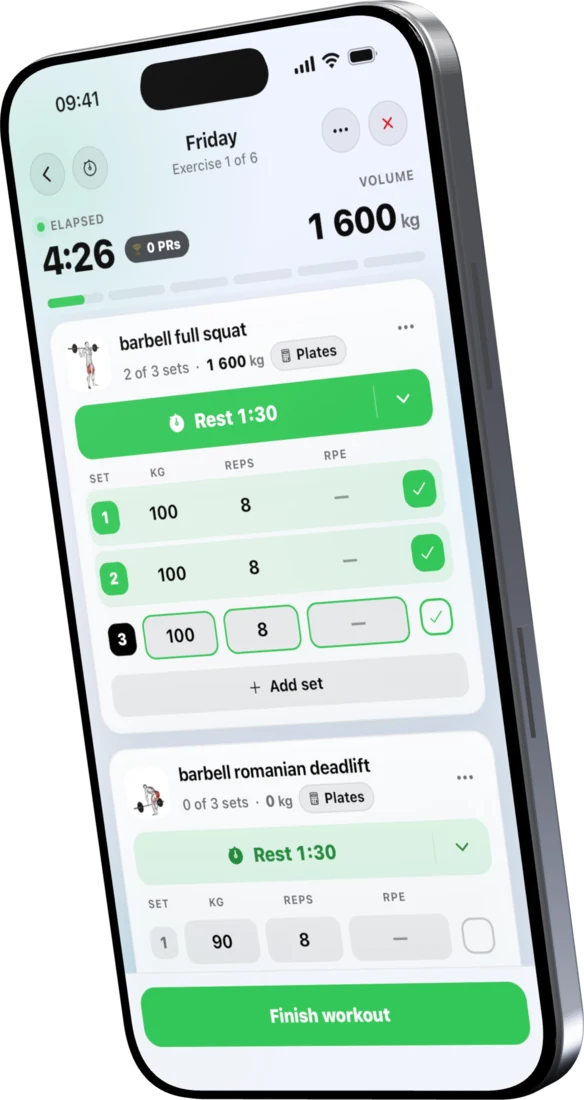
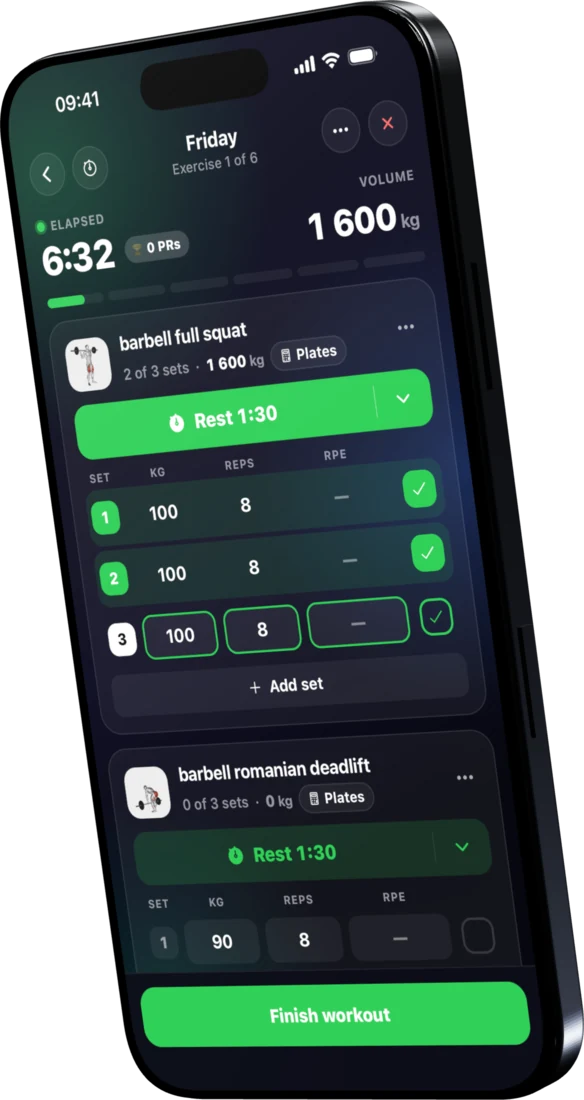
Log every set with one tap
Weight and reps come filled in from your plan or your last workout. Tick off the set, rest, go again. Your records, charts and monthly report keep up by themselves.
Today’s workout is ready when you are
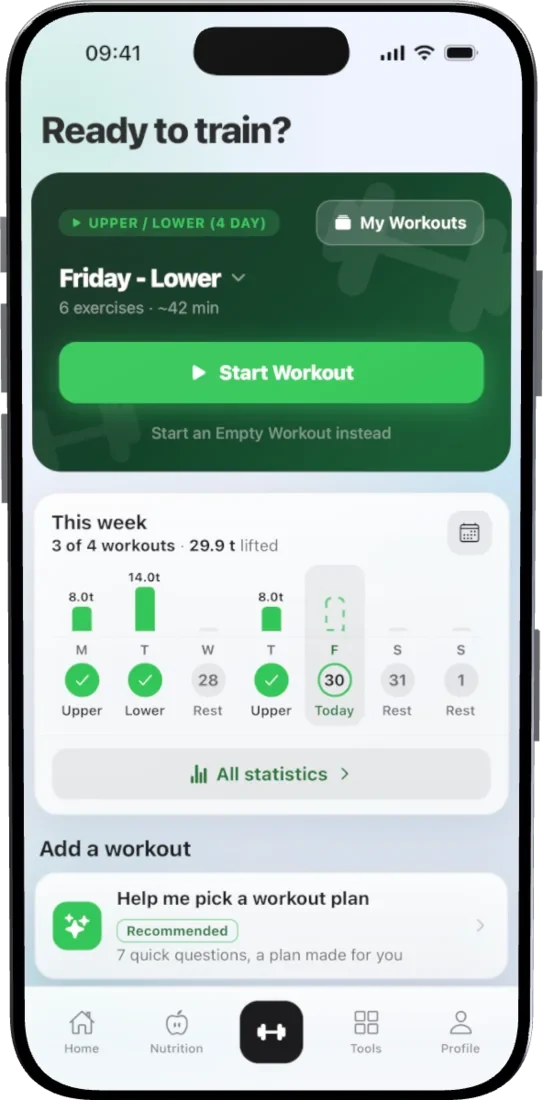
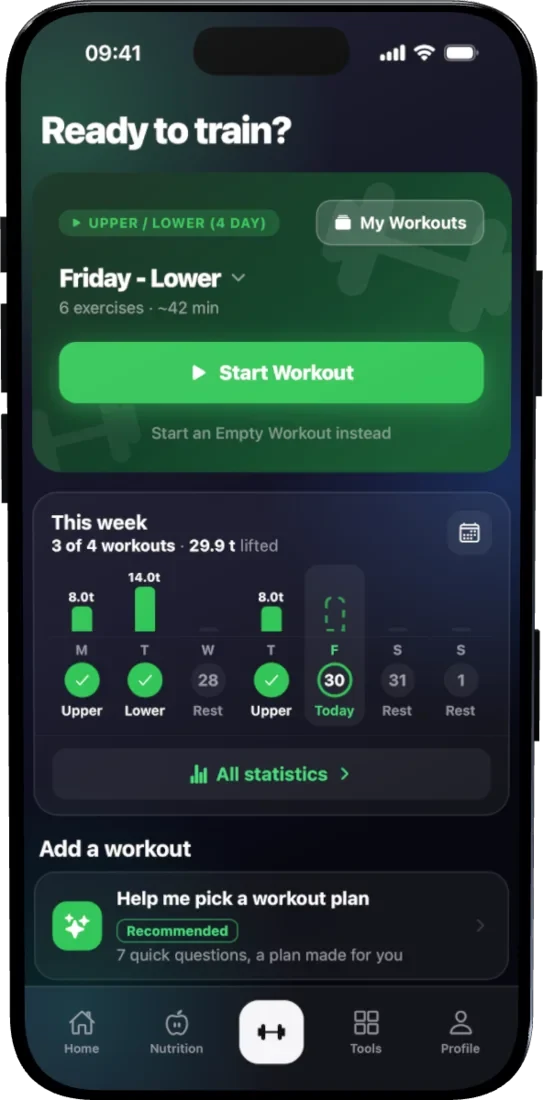
Open the Workout tab and today’s workout from your plan is at the top. Tap Start Workout, or start an empty one and log whatever you do.
No plan yet? Help me pick a workout plan makes one from 7 quick questions. You can also build your own, or save a plan someone shared in the community.
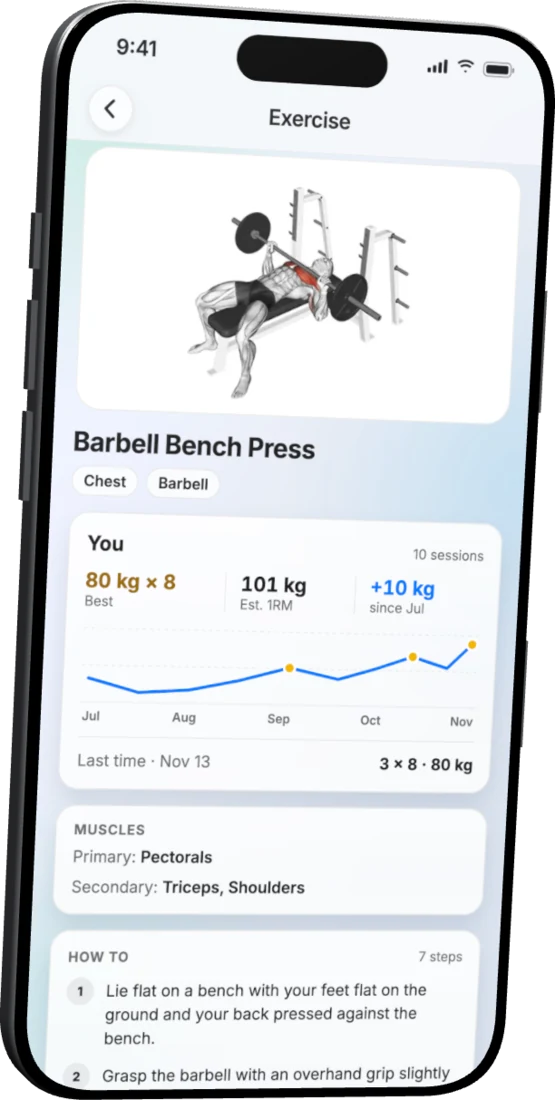
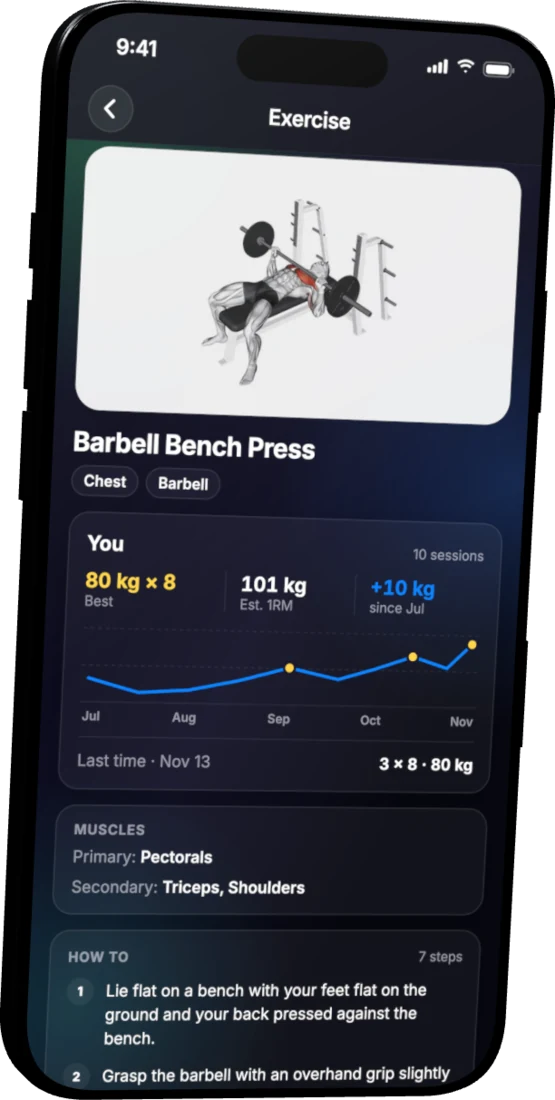
PRs and progress, no spreadsheet
Beat your best and the set gets a trophy the moment you tick it off. Open any exercise to see your best set, your estimated 1RM and a chart of every session, with each record marked.
All statistics holds your Strength Score, all your lifts on one chart, your weigh-ins and a monthly report: your month in review.
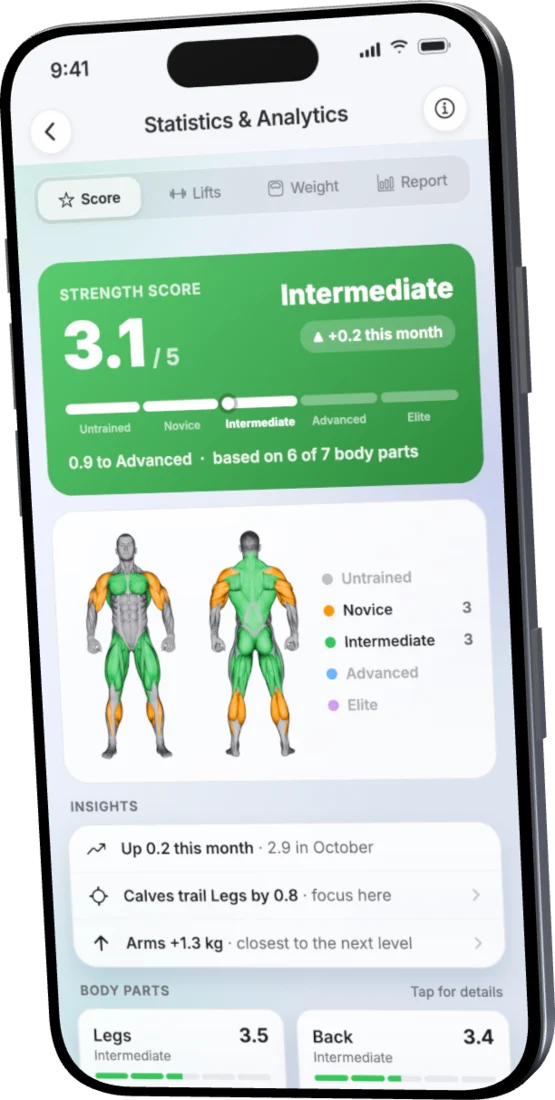
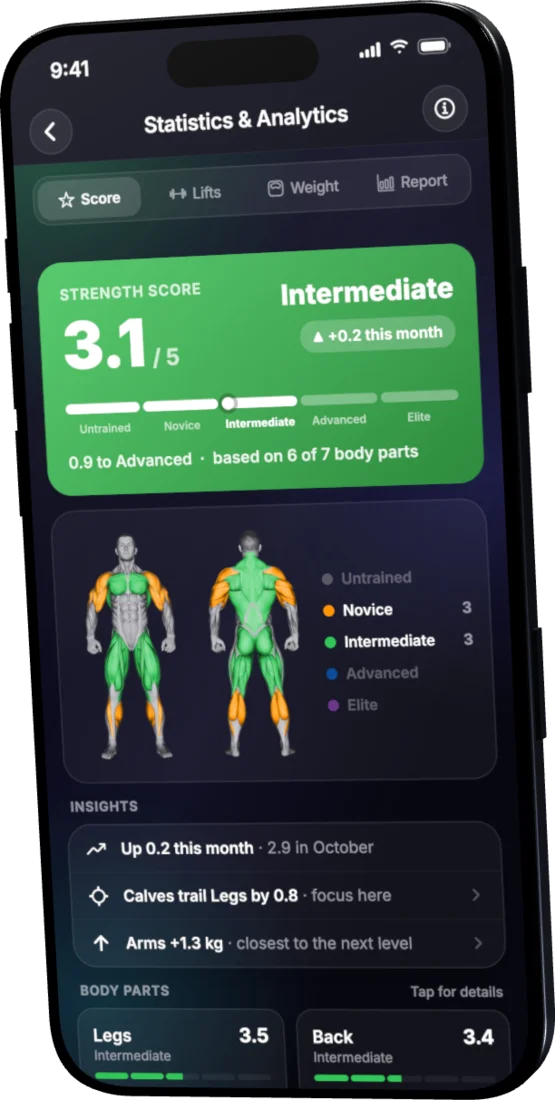
A strength score for every body part
Your Strength Score compares your best sets with your body weight, from 1 (Untrained) to 5 (Elite). Chest, back, legs, shoulders, arms, calves and core each get a level of their own, and a body map shows them in colour.
Every body part shows how much more weight it takes to reach the next level. Lift more and your score climbs: each month you see how far it moved and which body part to focus on.
Rest timer and lock screen
The rest timer starts by itself after every set and tells you when it’s time to go again, with a notification if Repsalot is in the background.
Lock your phone and the workout stays on the lock screen: the set, its weight and your rest. Wearing an Apple Watch or a Wear OS watch? Log the sets on your wrist.
How it works
Pick a plan
From 7 quick questions, your own, or one from the community.
Train
Tap Start Workout, tick off each set and rest in between.
Watch it add up
PRs, charts and your monthly report come straight from your log.
Questions
Do I have to type in every set?
No. Weight and reps come filled in from your plan or your last workout. Change a number if you did more, then tick the set off. Warm-up sets, supersets, RPE and notes are there when you want them.
Does it work without internet?
Yes. Lose signal and nothing is lost: a workout you finish offline is saved on your phone and syncs when you’re back online.
Can I bring my workouts from another app?
Yes, in beta. Export your workouts as a CSV file from the app you used before, then open Settings › Import workouts in Repsalot and pick the file. You see everything before it is saved and can undo the import for 7 days. Imported workouts show in your history, charts and personal bests.
Can I log sets on my watch?
Yes. Repsalot runs on Apple Watch with an iPhone, and on Wear OS watches like Galaxy Watch and Pixel Watch with an Android phone: today’s workout, sets, rest, heart rate and calories.
Can I take my workouts with me?
Yes. Settings › Export workouts gives you every set you logged as a CSV spreadsheet, and Download my data saves your whole account in one file.